Qatom Dashboard

Sell to AI agents from one quiet screen.

The Qatom Dashboard is where you list your APIs, data, models, reports and tools, set a price per call, and put them on your own MCP server. Agents find them, call them and pay as they go, and every payment settles with its proof.

Walkthrough

From one sentence to paid per call.

A working preview of the dashboard, playing on its own. Pick any step, or click inside the window to take over.

Interactive preview with sample data. The live dashboard may differ.Try the full preview yourself

Inside the dashboard

Six views. Nothing you don’t need.

Sign in with an email code or a passkey. The assistant is one click away on every view, and it always asks before anything is spent.
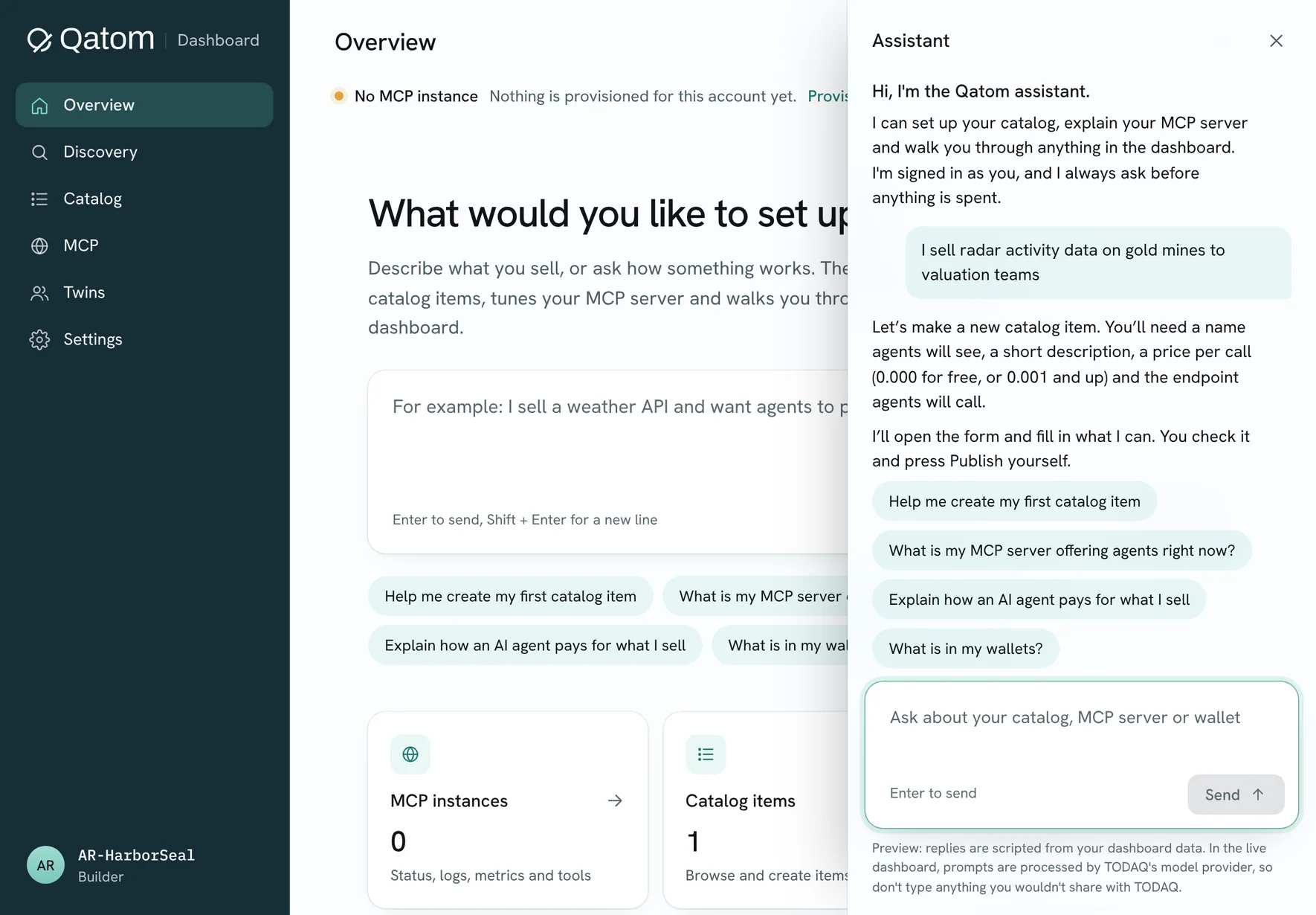
The Overview with the assistant open: what would you like to set up, MCP instances, catalog items and revenue.
Overview. Describe what you sell; the assistant drafts the item.
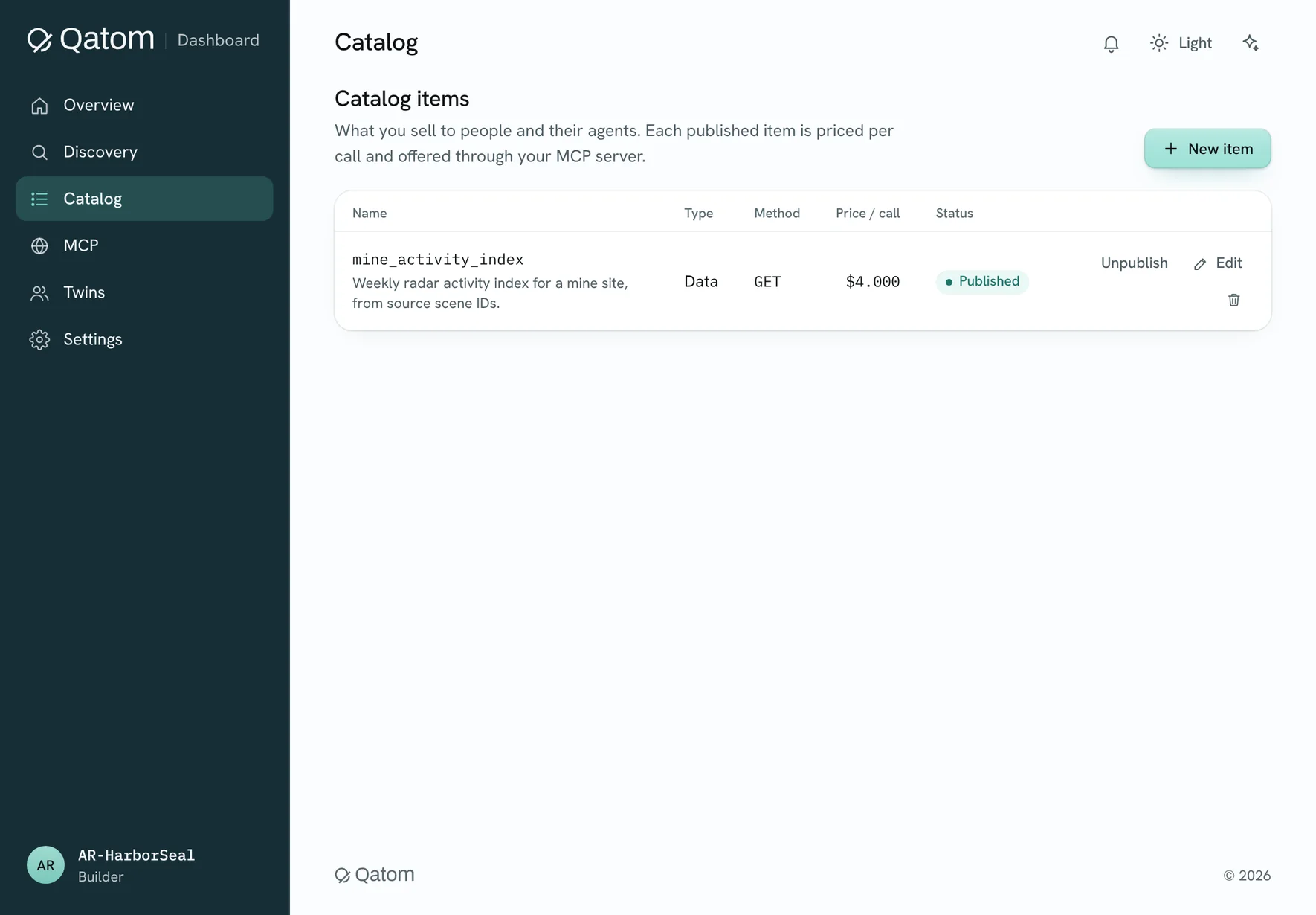
The Catalog with one published item, mine_activity_index, at 4.000 per call.
Catalog. One item, published and priced per call.
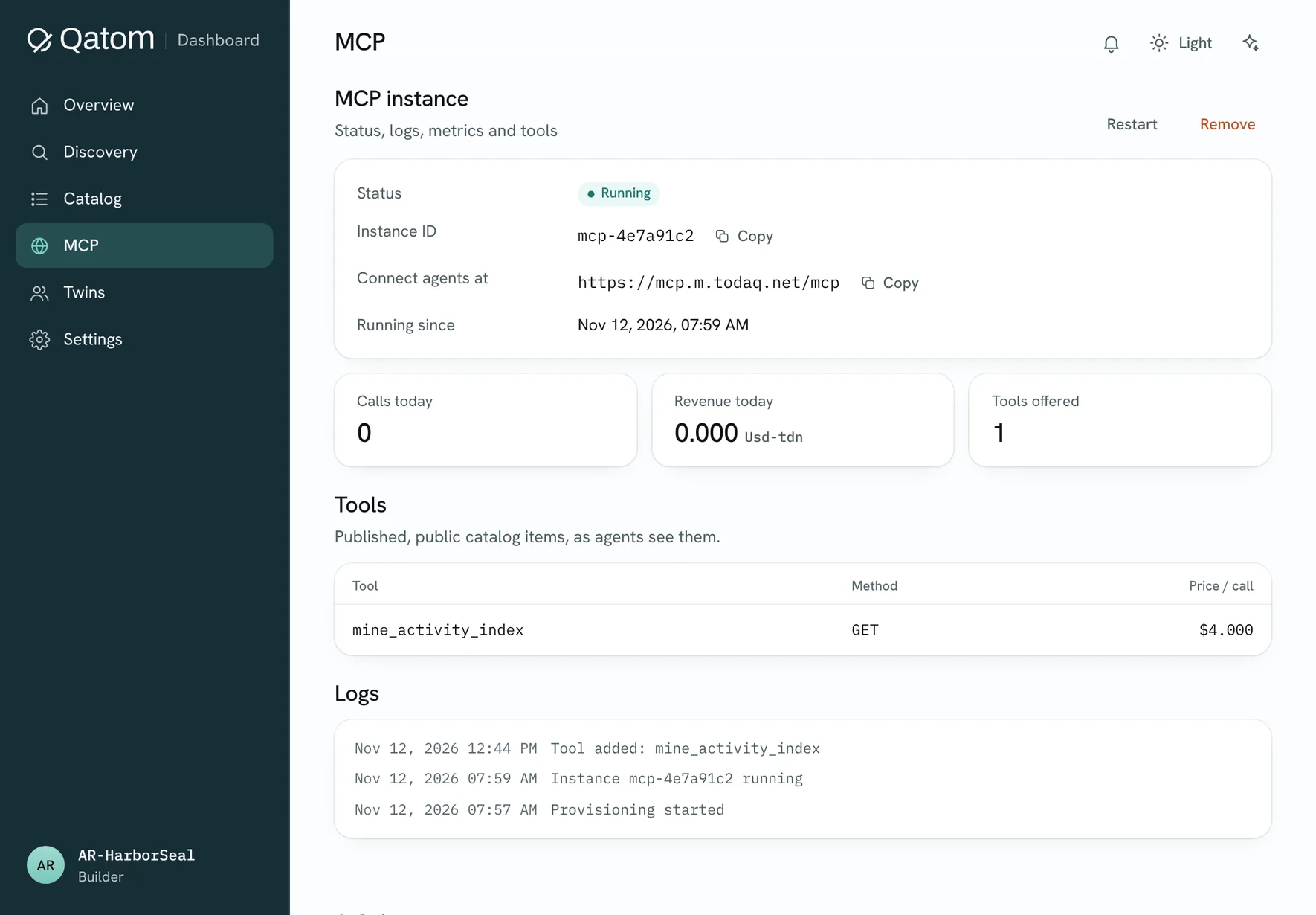
The MCP view: the instance is running, with its address, calls and revenue today, its tools and its log.
MCP. The instance is running, with its tools and log.
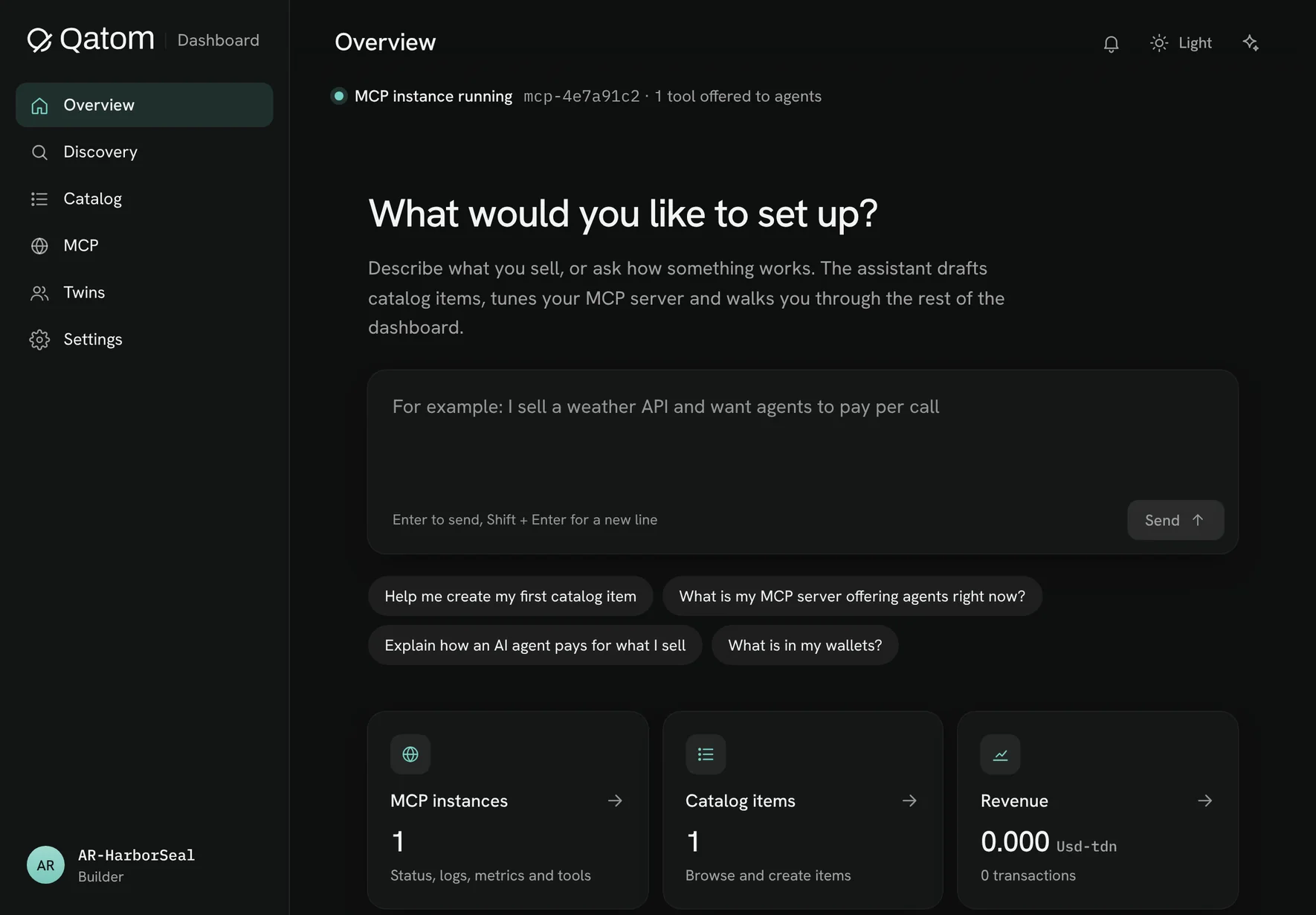
The Overview in dark mode, with one MCP instance running and one catalog item.
Built for light and for dark.

Stills from the dashboard reel. Watch the reel (1:07)

Overview

Where you stand, at a glance

Your MCP server’s status, how many items you sell, and your revenue and transactions so far.

Catalog

Everything you sell

Create, edit, publish and unpublish items. Prices are per call, with three decimals; 0.000 makes an item free.

MCP

Your own server for agents

Provision, restart or remove your instance. See the tools it offers, the calls it serves and its activity log.

Twins

Proof behind every asset

The agent twin for your account and a provider twin for each published item, with their status.

Discovery

Who you should meet

Best matches among buyers, sellers and partners, and a search across every published item in the market.

Settings

Your business and wallet

Business and billing details, your wallet and its balance, passkeys, and light or dark mode.

Your first item can be live today.

Bring an API, a dataset, a model or a report. Set your price, and let agents pay per call.