Qatom Authenticator app icon

Qatom Authenticator · Coming soon

Every agent spend, approved by you.

Your Qatom wallets and your agents’ spending, on your phone. Approve what your AI agents want to pay, set the limits they work within, and keep a proof of every payment.

Coming soon to the App Store and Google Play
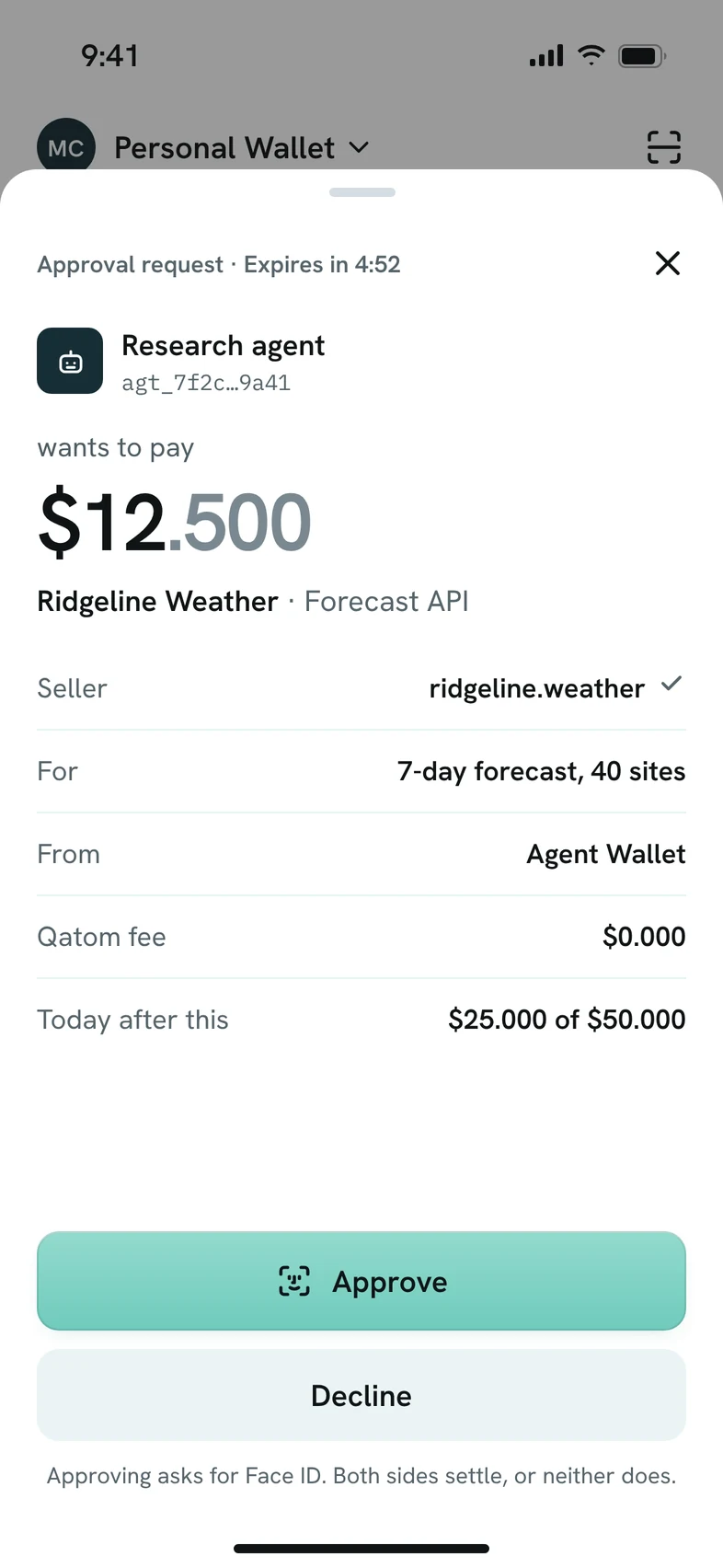
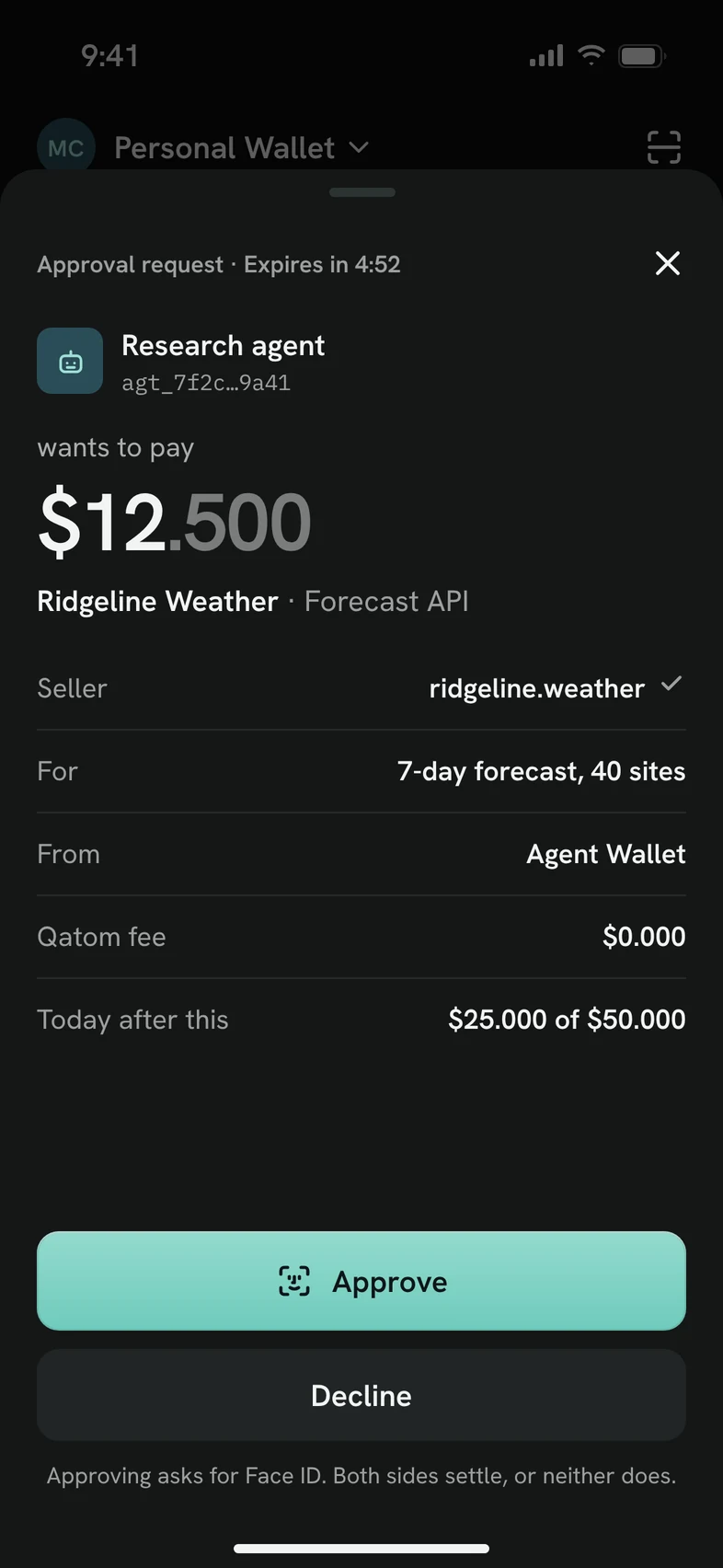
Approval request in Qatom Authenticator: Research agent wants to pay $12.500 to Ridgeline Weather for a forecast API, with Approve and Decline buttons.
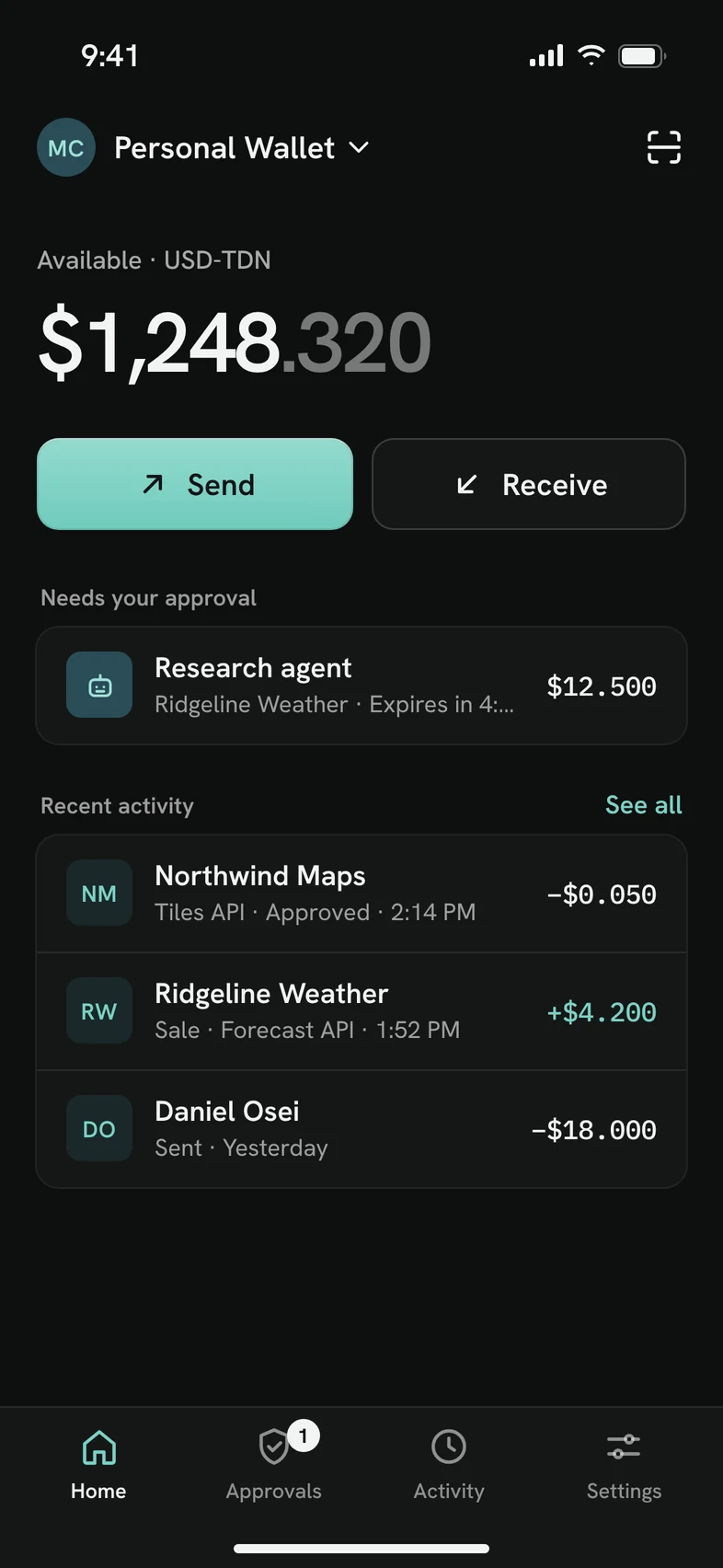
Qatom Authenticator home screen in dark mode: balance, Send and Receive, an agent request waiting for approval, and recent activity.

What it does

Your agents do the work. You keep the say.

Qatom Authenticator is the mobile wallet for Qatom. It is for people whose AI agents buy APIs, data and services on Qatom, and for anyone who pays or gets paid in USD-TDN.

Approval request: the agent, its ID, the amount, the seller, what it is for, the wallet, the Qatom fee and what is left today.

Approvals

Every agent spend, approved by you.

When an agent wants to pay more than your limits allow, the request comes to your phone. You see everything before you decide.

  • Which agent is asking, which seller gets paid, and for what.
  • Which wallet pays, the Qatom fee, and what is left for today.
  • Approve with Face ID or your fingerprint, or decline. Requests expire if you do nothing.
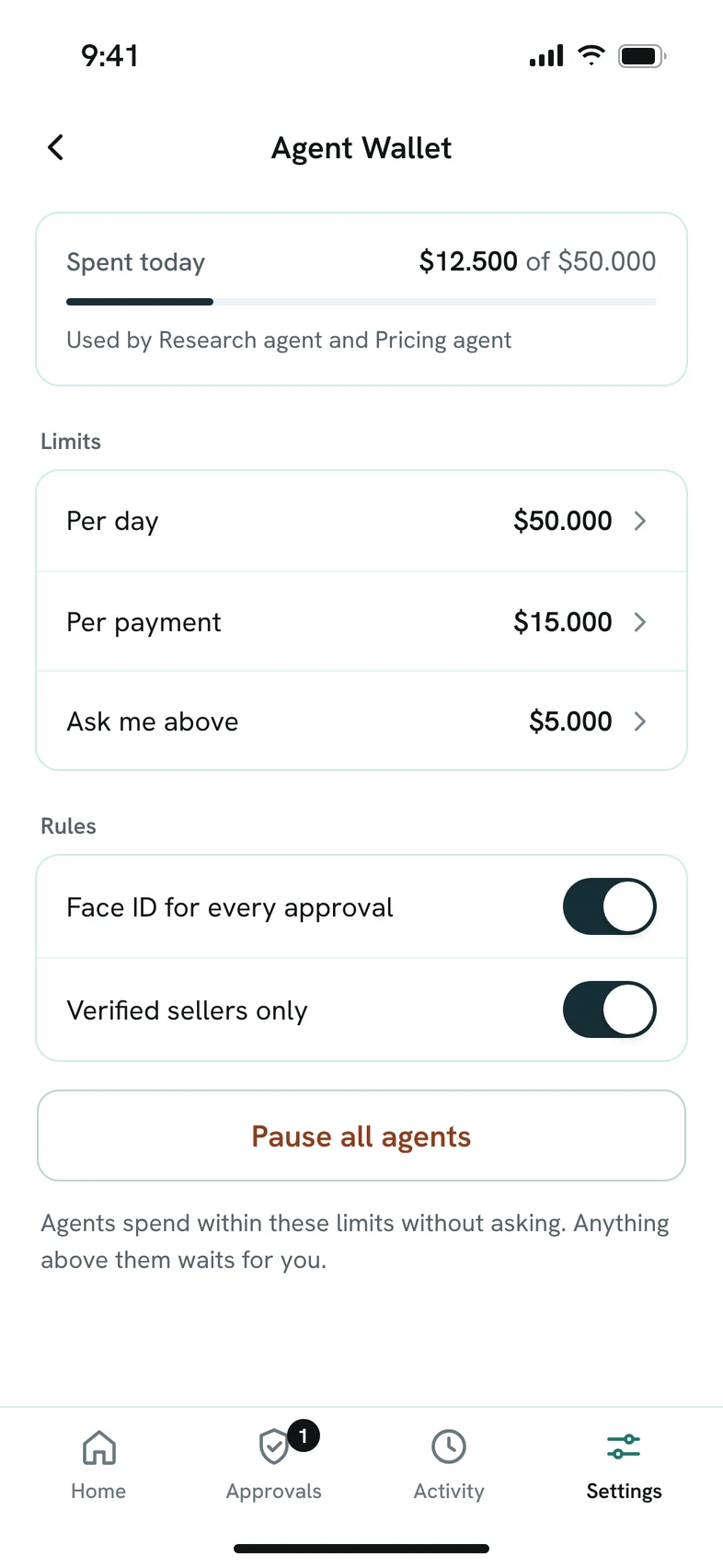
Agent Wallet limits: spent today against the daily limit, limits per day and per payment, verified sellers only, and Pause all agents.

Limits

Limits your agents cannot cross.

Agents spend within your limits without asking. Anything above them waits for you.

  • A limit per day, a limit per payment, and the amount above which agents must ask.
  • Verified sellers only, if you choose.
  • One switch pauses every agent.
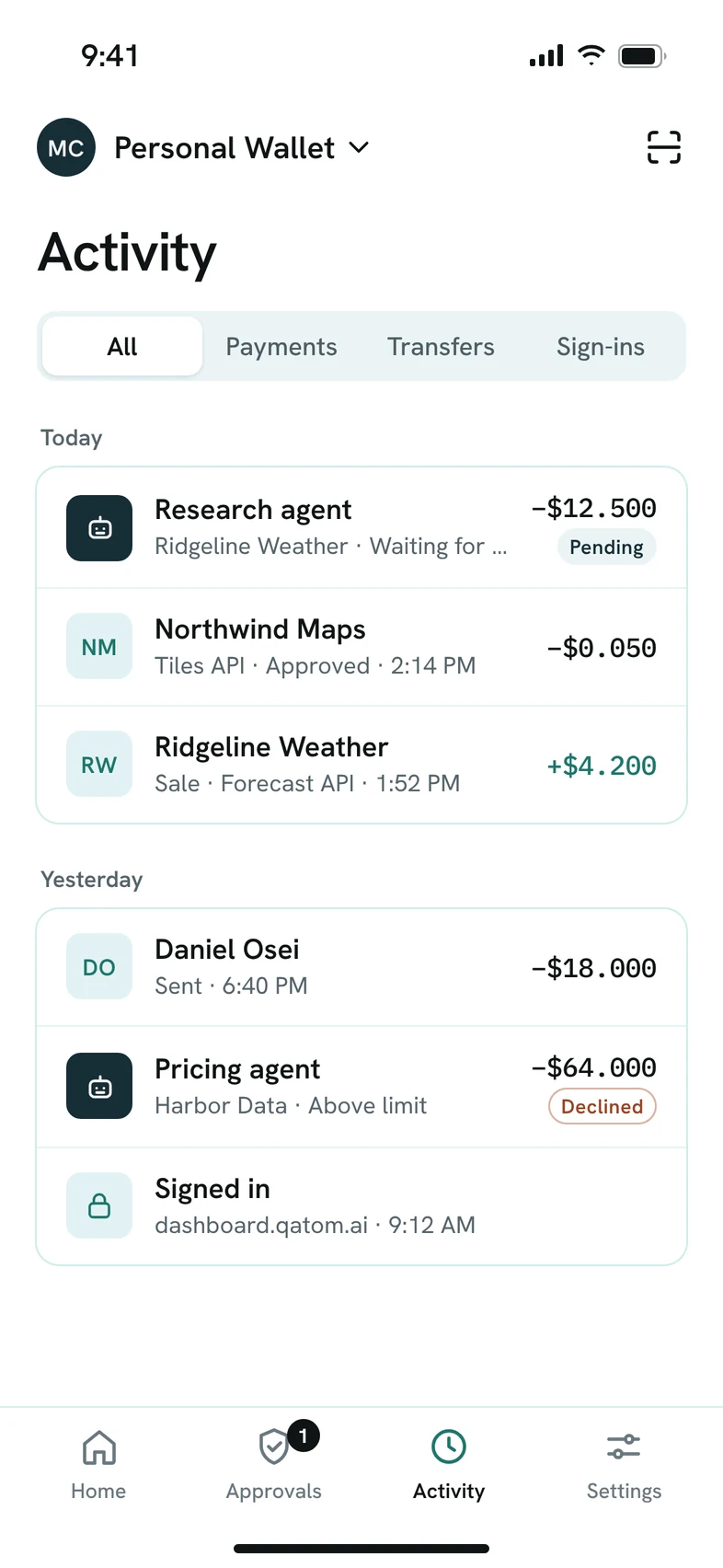
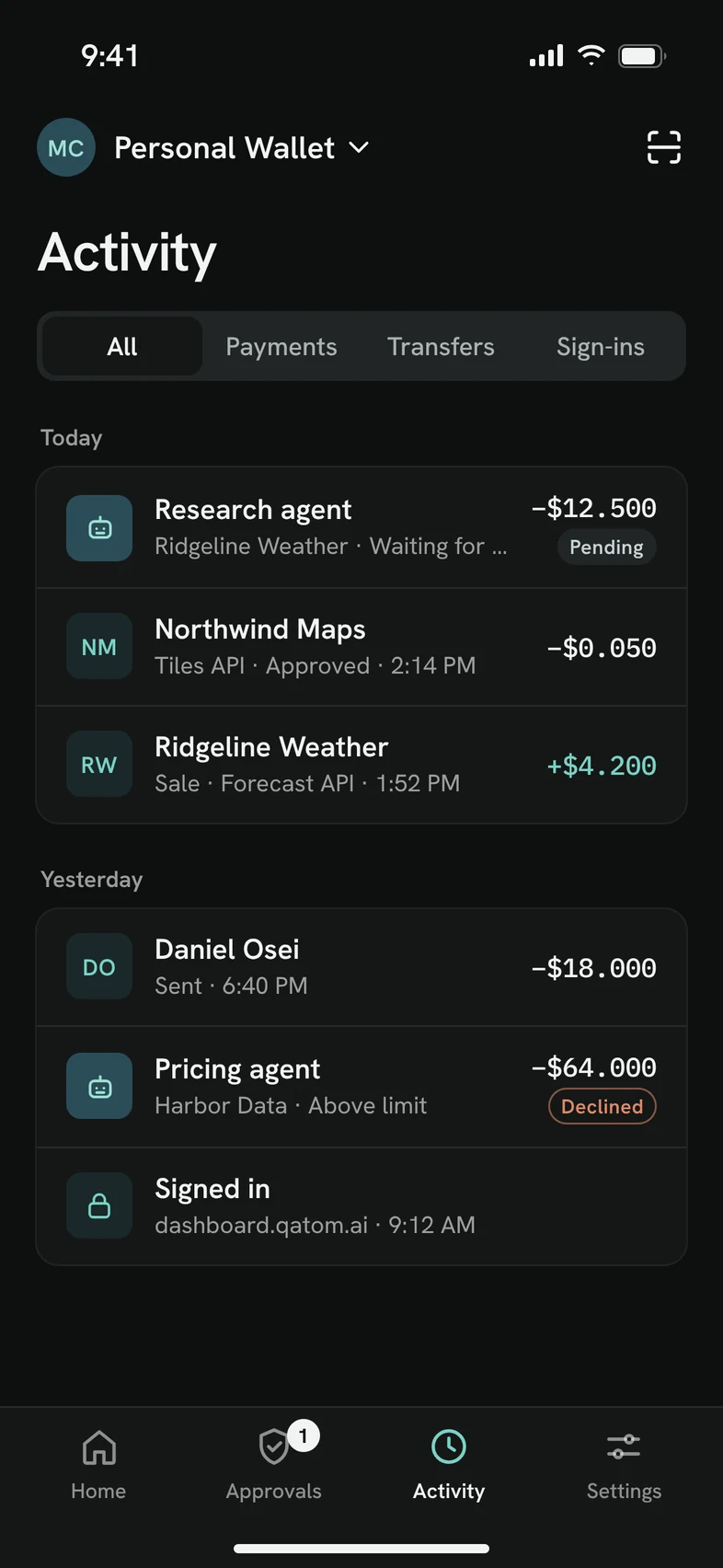
Activity log grouped by day, with payments, transfers and sign-ins.
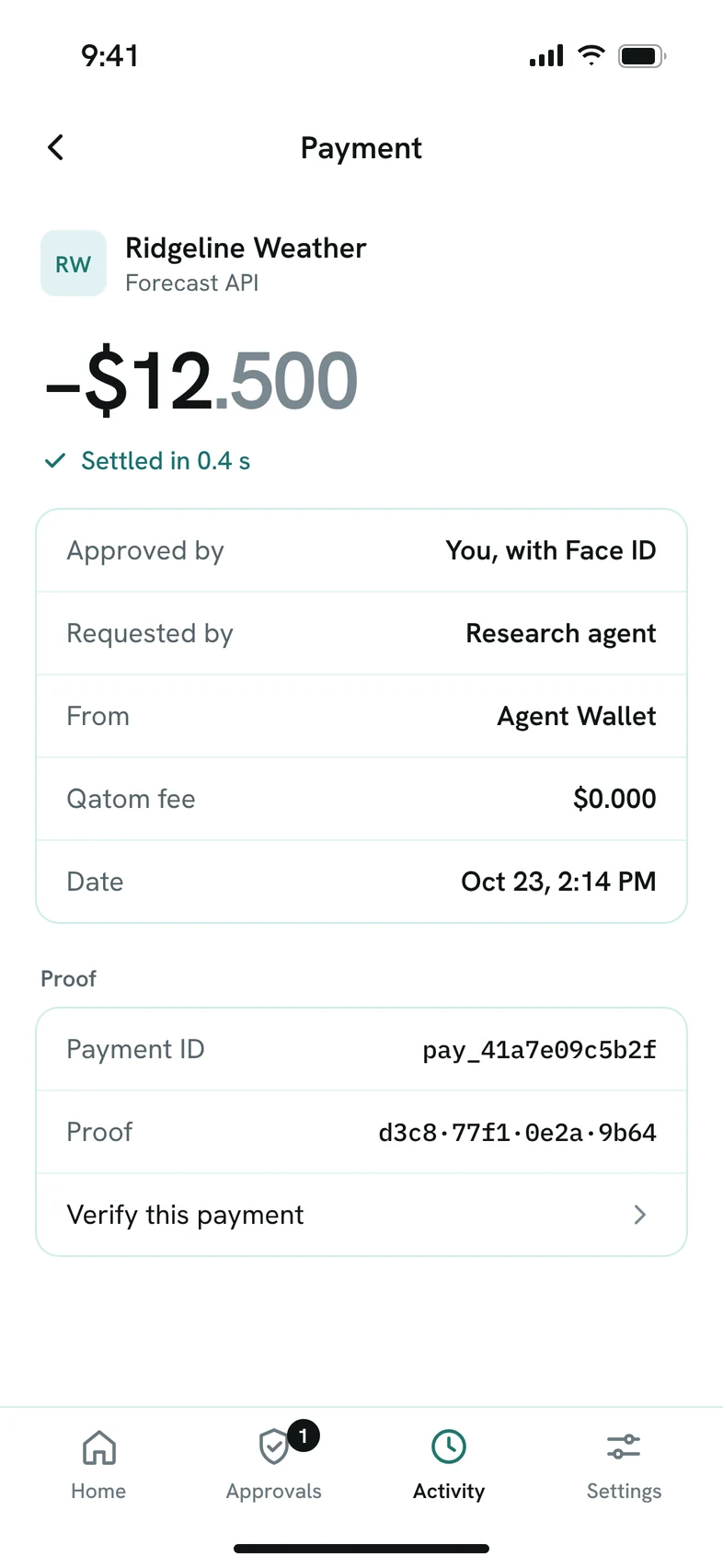
Payment receipt with who approved it, the payment ID and its proof.

Activity and proof

Every payment, on the record.

Payments, transfers and sign-ins in one activity log. Each payment carries its own proof, and anyone can check it.

  • See who approved each payment: you, or your limits.
  • Open any payment for its receipt, payment ID and proof.
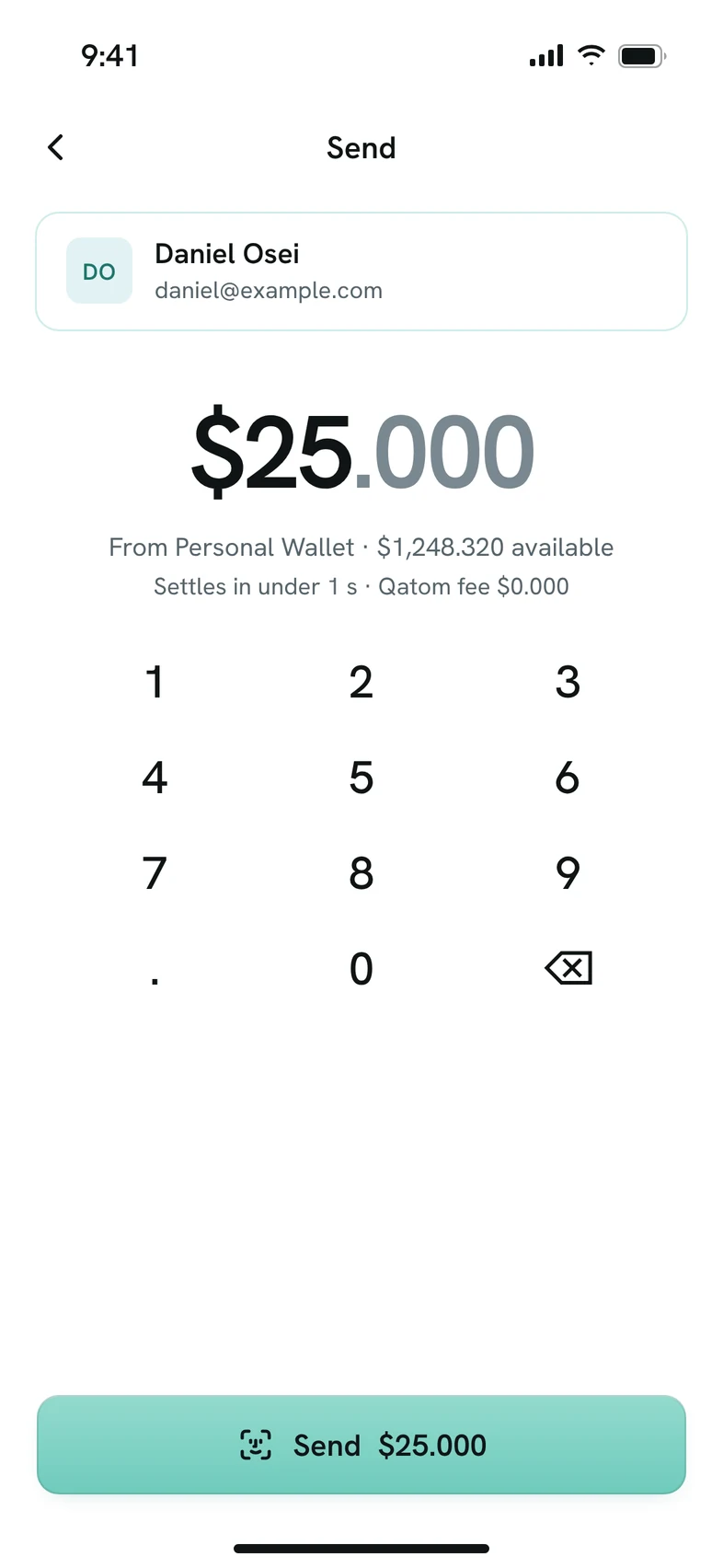
Send screen: an amount typed on the keypad, settles in under 1 second, Qatom fee $0.000.
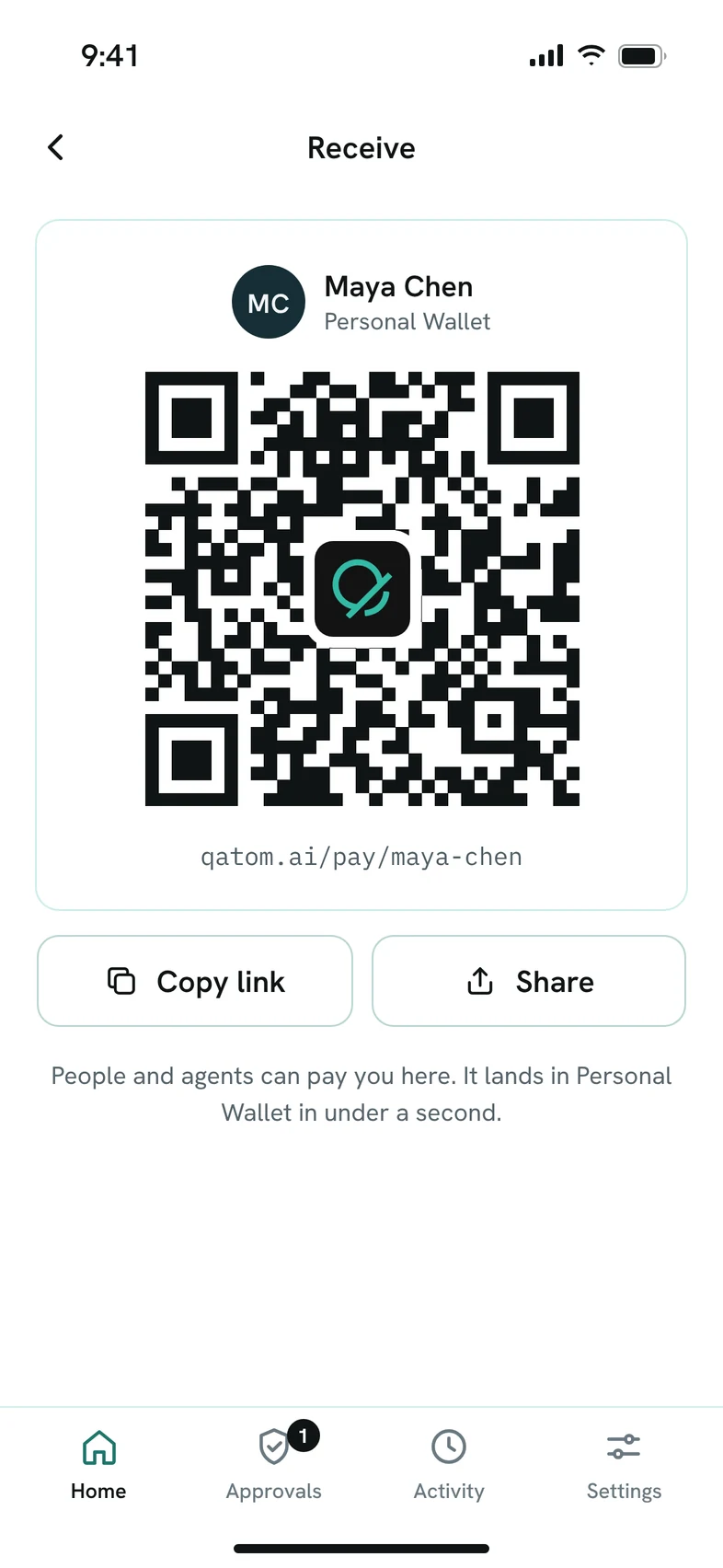
Receive screen: a QR code and pay link to share.

Send and receive

Pay people and agents.

Send USD-TDN to a person or an agent, or get paid with a link or a QR code. No Qatom fee, and payments settle in under a second.

  • Both sides settle, or neither does.
  • Personal and agent wallets, side by side.

Designed like a bank

Quiet, clear and exact.

Built for money, not for engagement: every amount to three decimals, one action per screen, and light and dark modes that follow your phone.

Home screen in dark mode.
Approval request in dark mode.
Activity log in dark mode.

No passwords

Sign in with a 6-digit code sent to your email.

Biometrics for approvals

Approving a payment always asks for Face ID or your fingerprint.

Locks itself

The app locks in the background and hides your balances in the app switcher.

Phone first

Designed for iPhone and Android phones.

Availability

Coming soon to iPhone and Android.

Qatom Authenticator will be available on the App Store and on Google Play. Leave your email and we’ll tell you the day it launches. Until then, you can set up your wallets and agents in the Qatom Dashboard.

iPhone

App Store

Coming soon

Android

Google Play

Coming soon

Screens show the app’s design with sample data; the released app may differ. Apple, iPhone, Face ID and App Store are trademarks of Apple Inc., registered in the U.S. and other countries and regions. Google Play and Android are trademarks of Google LLC.

Tell me when the app launches

Leave your email and we will write to you when the app is in the App Store and Google Play.